PI-HOLE
Blocking state, query totals, blocked percentage, top blocked domains and active clients from the v6 API.
A squatch on the gate. Pi-hole, your tailnet and the devices on your network, in one floating TUI and one bar icon for Omarchy.
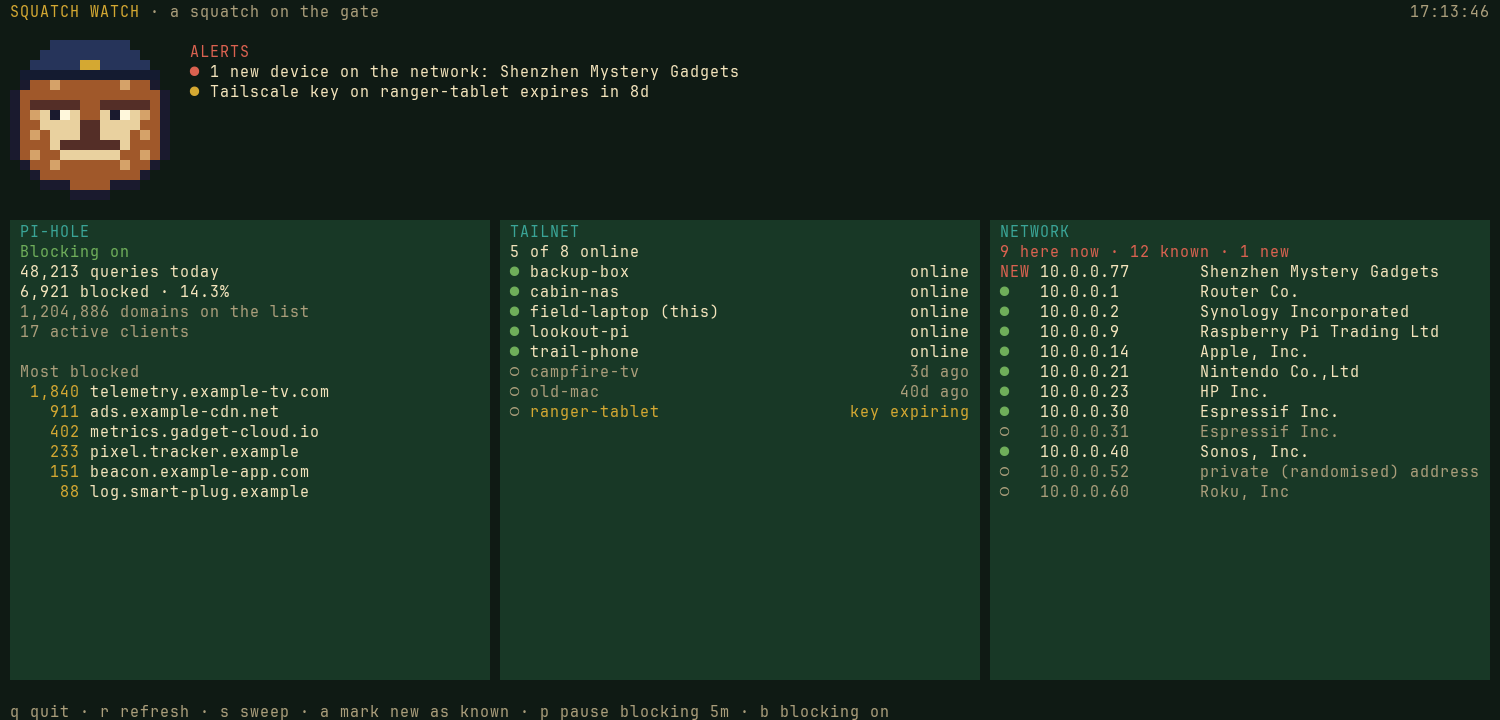
Open the floating watch for the full picture, or leave the bar icon on patrol. The icon grows a coloured dot when something needs you; the five-minute check sends one desktop notification for each new problem.
Blocking state, query totals, blocked percentage, top blocked domains and active clients from the v6 API.
Who is online, when each device was last seen and which keys are close to expiry, read from the local Tailscale CLI.
Devices seen through DNS alongside neighbours visible right now, with first-time devices called out.
The first run treats existing devices as known. Private, randomised Wi-Fi addresses do not raise a new-device alert.
The main checks are read-only. Pausing or resuming Pi-hole blocking asks for confirmation.
Squatch Watch talks to Pi-hole on your network and reads Tailscale through its local command-line tool. The bar icon reads the timer's latest snapshot instead of opening another Pi-hole session every minute.
It uses Python's standard library and stores its configuration, cached session and known-device list with user-only permissions.
Not released yet. The squatch is still checking the perimeter.
BACK TO CAMP